


-
 files/coreEmptyAngle.webp
-
 files/coreEmptyFaceAngle2.webp
-
 files/coreEmptyBackAngle.webp
-
 files/coreEmptyFace.webp
-
 files/backFace.webp
-
 files/coreLayout.webp
-
 files/coreLayout1Row.webp
-
 files/coreLayout2Row.webp
-
 files/coreLayout3row.webp
-
 files/fanmounts1.png
-
 files/fanMounts2.png
-
 files/angledFanBrackets_405bc2d8-7a8c-4ae6-be5c-a6dddc8f98f3.webp
-
 files/rearExhaust.webp
-
 files/CoreRack_31db62b4-150f-46a9-8343-eabddc3bbc39.jpg
-
 files/CoreRack2_a6a729c5-8c6e-45ad-9a70-5ee62de54b97.jpg


- Regular price
- $749.95
Shipping: Within 4 Weeks
- Regular price
- $749.95


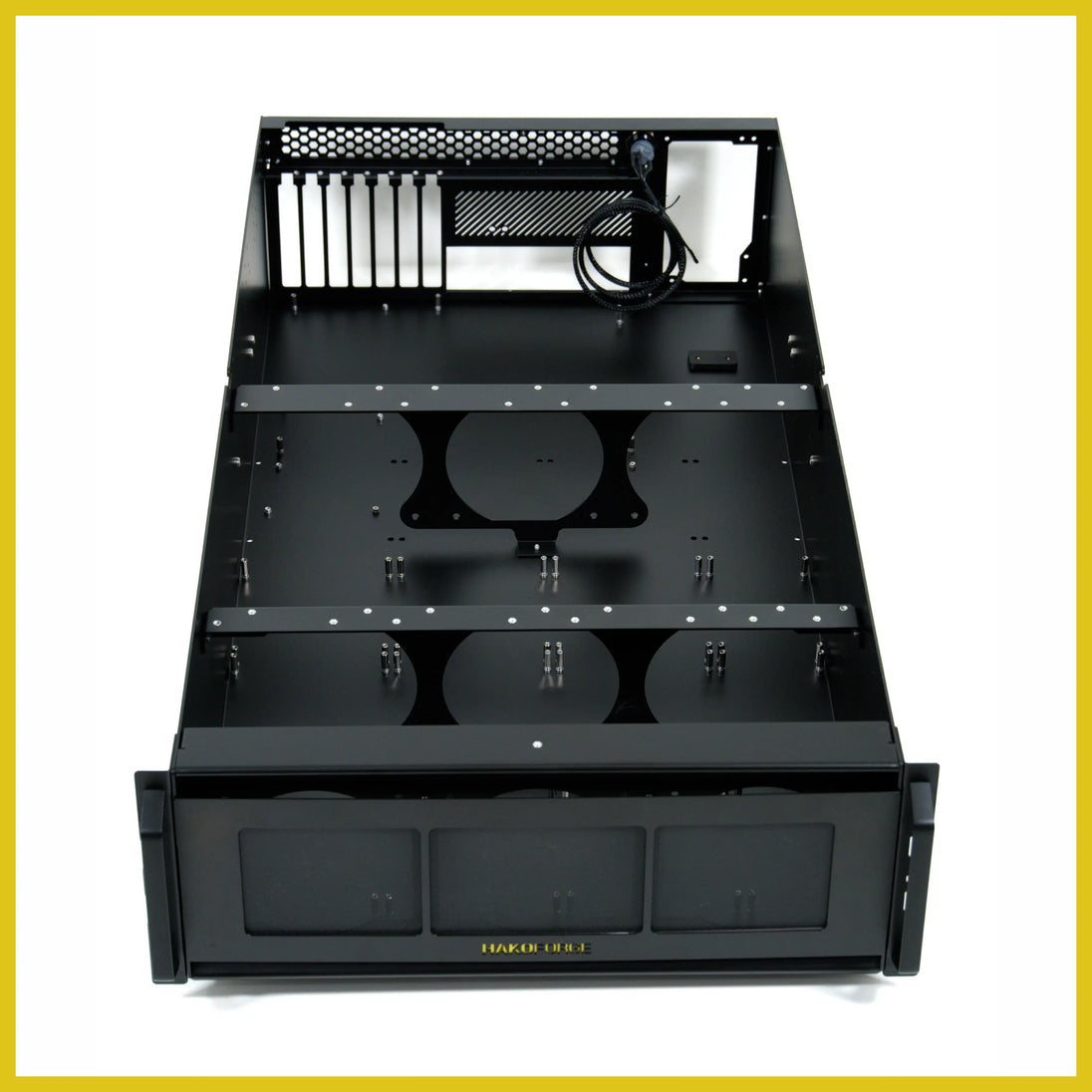
The Hako-Core is a versatile modular server chassis designed for tech enthusiasts, home server builders, and small businesses. Its customizable design supports a range of HDD and SSD configurations, allowing you to easily adapt the setup to your evolving storage needs. Ideal for media servers, NAS setups, or data storage solutions.
SHIPS: Within 4 WEEKS
Key Features:
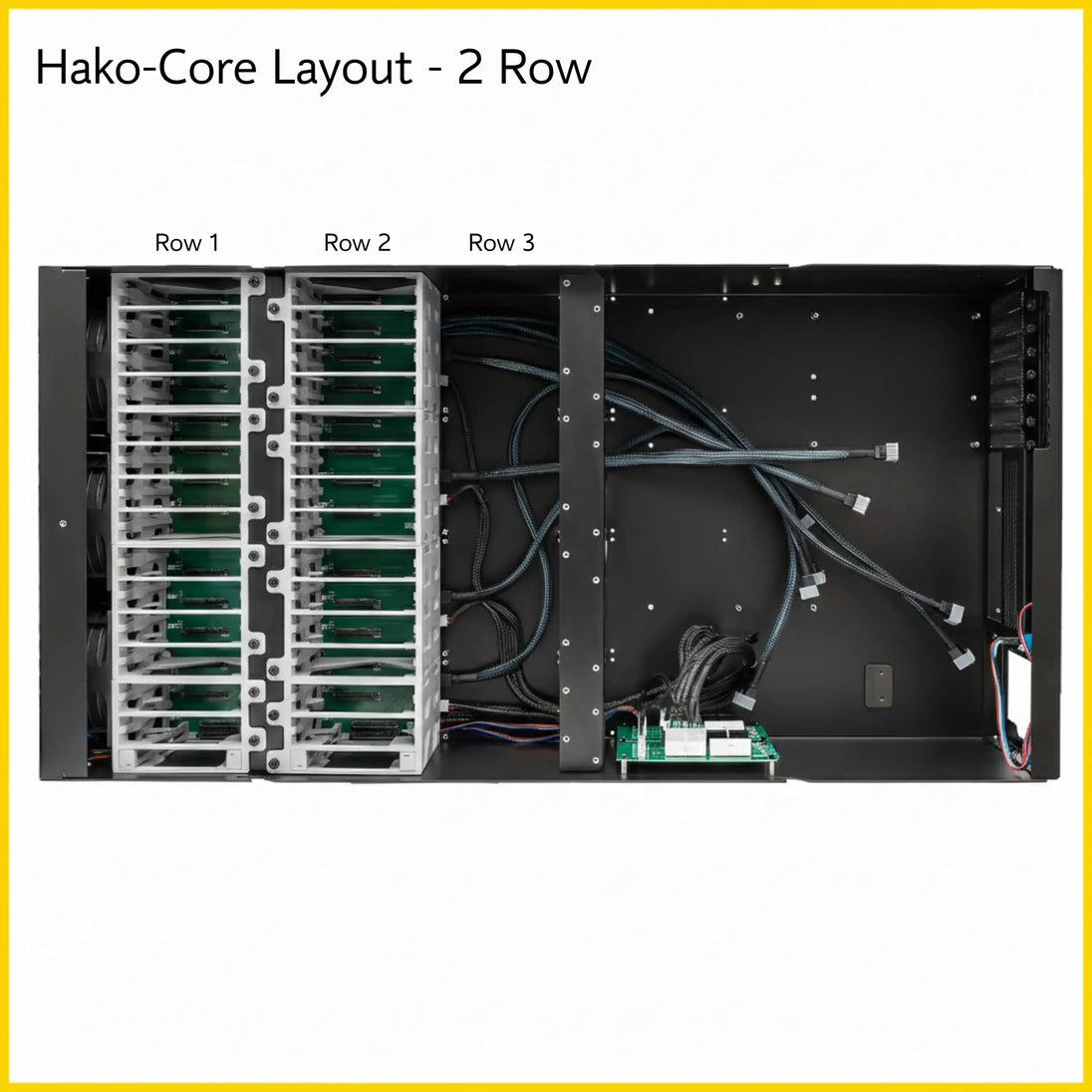
- Modular Drive Layout: Server Layout holds up to 9 Standard drive cages and 3 Mini drive cages. JBOD Layout holds up to 12 Standard and 4 Mini drive cages
- Split Lid: Service drives while the chassis is racked
- Wide Motherboard Support: Mini-ITX, Micro ATX, ATX, EATX, XL-ATX, FlexATX, Mini-DTX, SSI-CEB, SSI-EEB
- GPU Clearance: Length ~366mm, Height ~154mm
- Smart Power Boards: Fan control from your motherboard or the power board, plus HakoFoundry support
- Flexible Power: ATX, SFX (with adaptor), or CRPS with our CRPS PSU Adapter Kit
What's Included:
- 2x Smart Power Boards
- Needed wires (SAS, power button, USB, backplane wire harness)
- Rack ears
- Drive removal tools
Specifications:
| Material | Powder Coated Aluminum |
| Color | Black |
| Form Factor | 4U |
| Dimensions | 34" x 17.25" x 6.875" |
| Weight | 20 lbs default configuration |
| CPU Cooler Clearance | ~150mm ±5mm depending on motherboard |
| Recommended Power Supply | Corsair HX1500i |
Updated - 05/11/2026
- Added - Cable Management Arm Holes.
- Changed - Lids are now Steel 18ga.
Updated - 03/01/2026
- Changed - Rack ears now have handles.
- Changed - Rack ears screws have been changed to M5 thumb screws.
Updated - 02/01/2026
- Changed - All loctite changed from blue to pink.
Updated - 01/12/2026
- Changed - Shipping Rack ears rev2 now contain handles.
- Changed - Front panel changed from 16ga to 18ga steel.
Updated - 08/15/2025
- Changed - Powerboard rev2.3 fans that produce unstable pwm can now get to 0%.
Updated - 04/21/2025
- Added - Row color markers.
- Added - Added conformal coating to backplane power connectors.
- Changed - Powerboard rev2.1 higher accuracy on power usage, and fixed board PWM Labeling.
- Changed - All rows of cages are now identical.
Updated - 04/01/2025
- Added - Split Lid for better access to drives while racked.
- Added - HF Foundry, Powerboard GUI.
- Changed - Powerboard rev2.0 now supports PWM control + Power Usage.
- Changed - Front Panel now includes Hakoforge Logo.
- Changed - Lid cutout for PCIe accessory clearance.
- Changed - Longer power button wire 60cm to 95cm.
- Changed - Cages clearance and alignment updated.
Updated - 02/10/2025
- Added - Mount points for PCIe accessory fan brackets.
- Added - Mount points for rear exhaust fans (92mm & 80mm).
- Added - Mount points for a cable management bracket.
- Added - Support for most, if not all, motherboard form factors: SSI-CEB, SSI-EEB, (XL, E, Micro, Flex) ATX, Mini-DTX, Mini-ITX.
- Added - Support for different PSU orientations.
- Changed - Improved process for attaching magnets.
- Changed - Updated "fan hub" for each row of fans (fixes issue with removing backplanes to wire/unwire fans).
- Changed - Better labeling for power board and SAS cables.
- Changed - Split lid into two, allowing for easier service while racked.
- Changed - All screws now have Loctite.
- Changed - Updated packaging to help prevent damage.
Do the Core and Core Mini come with drive cages?
No. Both cases ship empty, so you'll need cage kits to hold your drives. If you select kits in the case configurator, we include everything else they need: power boards, wire harnesses, and SAS data cables for each backplane.
How many drive cages fit?
| Standard backplane/cages | Small backplane/cages | |
|---|---|---|
| Hako-Core | 9 | 3 |
| Hako-Core Mini | 6 | 2 |
The small/hybrid position is spot number 4 in each row. A fully populated Core with 36 SATA hard drives is a common setup.
Core or Core Mini — which should I get?
They're very similar. The Core has a split lid, so you can service drives while it's racked, and it offers more density but takes more work to manage cables. The Mini can be serviced in the rack too, but you'll need to pull it out about 1" past the rail's locking latch. Cable management is much easier on the Mini. If you don't expect to add more drives later, the Mini is usually the better pick.
Which motherboards fit?
- ATX boards fit.
- EE-ATX boards are not supported in the Hako-Core Rev. 2.
- SSI-CEB in a Core Mini Rev. 2 with all 8 cages installed isn't recommended, because the SAS connectors sit very close to the board.
- Standoffs are M3, 10mm tall.
Not sure about your board? Email us the model before you order.
How much GPU clearance is there with the drive cages installed?
| Max length | Max height | |
|---|---|---|
| Hako-Core v2 | ~366 mm | ~154 mm |
| Core Mini Rev. 2 (with 2nd row of cages) | ~320 mm | ~154 mm |
| Core Mini Rev. 2 (without 2nd row) | ~377 mm | ~154 mm |
| HF-L1 | ~320 mm | ~154 mm |
For reference, an RTX 4090 Strix (~358 mm long) fits in a Core.
Are rack ears and power harnesses included?
Yes. Every case comes with standard rack ears and the power harnesses it needs. Our thicker 14 ga steel Heavy Duty Rack Ears (recommended for mounting a chassis vertically) are sold separately. Rack ears only stop the case sliding out; use rails to support its weight.
Are the designs open source?
The Hako-Core CAD files and drive cage STLs are on our GitHub, so you can print your own cages. We aren't releasing the backplane PCB designs for now. If we ever discontinue a backplane, we'll notify customers and release its design so it can still be made.
Power Board Wiring Guide & PSU Recommendations
Recommended PSUs
Note: Recommendations are based on fully built systems with 100% SSDs and no GPU installed.
Note: If using HDD backplanes, fewer PCIe connections may be needed due to splitter capability. Please see below explanation for more details.
For Hako-Core: Seasonic PRIME PX-1600
For Hako-Core Mini: CORSAIR HX1000i (2025)
We recommend these based off a full SSD build which requires greater power considerations and more PCIe connectors.
Note these recommendations do not account for any GPUs installed in the system. For systems with GPUs you must account for how many PCIe connectors your GPU requires.
Power Board Wiring Explanation and Examples
When looking at the powerboard you will see that the PCIe connectors are labeled J1, J2, J3, and J4. These connectors send power to the adjacent 16 pin connectors. Each 16pin connector
provides power to an entire row. For example the J1 PCIe connector will power the J1_A (#1) and J1_B (#2) boards.
Any PCIe connector that is supplying power to an SSD backplane:
• Must use dedicated 1:1 PCIe cable
• This applies whether you have SSD on both A and B positions, or mixed SSD/HDD
• Example: J1_A = SSD, J1_B = HDD → J4 requires 1:1 PCIe cable
Any PCIe connector that is supplying power to an HDD backplane:
• Can use a split PCIe cables (1:2 or 1:3 splitters)
• Multiple PCIe connectors with only HDDs can share power from a single PCIe cable
• Example: J1_A = HDD, J1_B = HDD, J2_A = HDD, J2_B = HDD → Can use 2x 1:2 splitter for J1 and J2
Power Limitations
• 150 watts maximum per PCIe connector
• This limit applies to each individual connector on the board (J1, J2, J3, J4)
Max System Configuration Requirements
Hako-Core Mini (1 Power Board, Max 2 Rows)
• 1 power board with connectors J1, J2, J3, J4
• Maximum: 2 rows = 8 backplanes total = 4 PCIe connections required
• All SSD configuration: 4 × 1:1 PCIe cables needed (J1, J2, J3, J4)
Hako-Core (2 Power Boards, Max 3 Rows)
• 2 identical power boards, each with connectors J1, J2, J3, J4
• Maximum: 3 rows = 12 backplanes total = 6 PCIe connections required
• All SSD configuration: 6 × 1:1 PCIe cables needed (3 connections per power board)
Wiring Examples
Understanding Power Board Distribution:
• Each power board acts as a splitter/distribution hub
• PSU connects to power board J connectors (J1, J2, J3, J4) via PCIe cables
• Each J connector splits internally to power 2 backplanes (A and B)
SSD Configuration Example:
• J4_A = SSD, J4_B = SSD → J4 requires 1:1 PCIe cable
• J3_A = SSD, J3_B = SSD → J3 requires 1:1 PCIe cable
• Result: 2 dedicated PCIe cables needed
HDD Configuration Example:
• J4_A = HDD, J4_B = HDD → J4 can use splitter
• J3_A = HDD, J3_B = HDD → J3 can use splitter
• Result: Single 1:2 PCIe splitter cable can power both J4 and J3
Mixed Configuration Example:
• J4_A = SSD, J4_B = HDD → J4 requires 1:1 PCIe cable (SSD drive requirement)
• J3_A = HDD, J3_B = HDD → J3 can use splitter
• J2_A = HDD, J2_B = HDD → J2 can use splitter
• Result: 1 dedicated PCIe cable for J4 + a 1:2 splitter cable for J3 and J2
Why This Matters
SSDs typically have higher instantaneous power demands and more sensitive power requirements, necessitating
dedicated power connections. HDDs have more predictable power consumption patterns
and can safely share split power connections. The presence of any SSD backplane on a J connector requires that
entire J connector to use dedicated 1:1 PCIe power - this ensures the SSD gets clean, dedicated power while the
HDD on the same connector benefits from the stable power delivery.
System Power Requirements
Hako-Core Mini: 1 board, 8 backplanes (2 rows), 4 PCIe required (all SSD), 1-2 EPS required for CPUs, 1 × 24-pin ATX for motherboard power
Hako-Core: 2 boards, 12 backplanes (3 rows), 6 PCIe required (all SSD), 1-2 EPS required for CPUs, 1 × 24-pin ATX for motherboard power
Additional Considerations:
• Add GPU power requirements based on your specific graphics card
• Add power for any additional peripherals or expansion cards
• Consider future upgrade headroom


